How to view all Keybinds in SmoredBoard
This tutorial explains how to view all keybinds in SmoredBoard, including profile keybinds and voice changer keybinds.
View All Keybinds
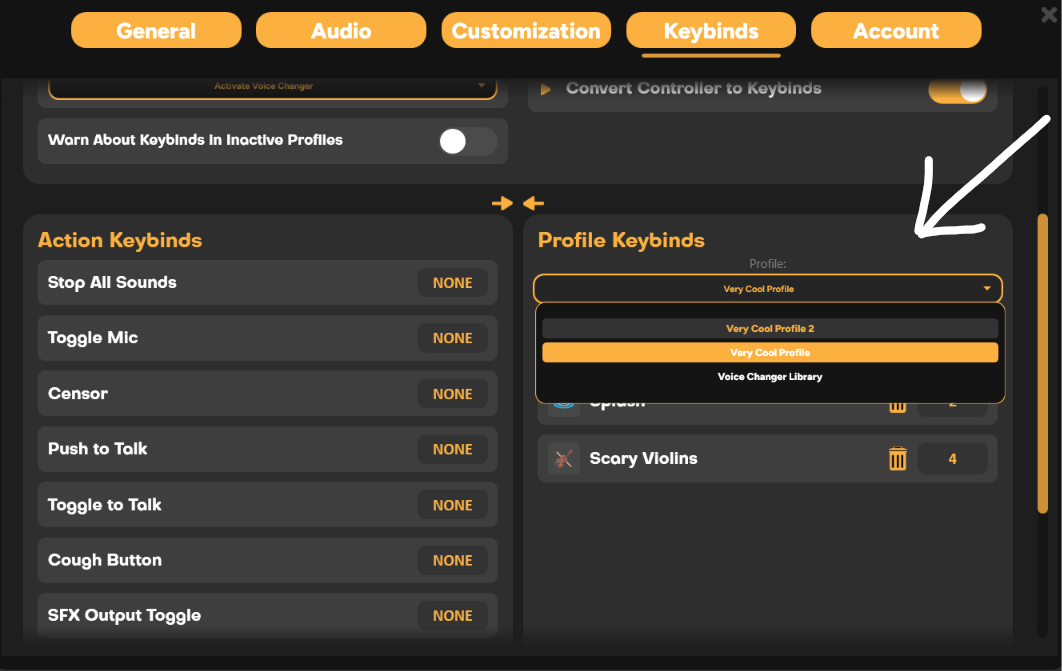
To view all Keybinds in SmoredBoard, go to Settings, then open the Keybinds tab. Scroll down and on the bottom right, you will find the "Profile Keybinds" tab where you can view all keybinds for that profile.
There you can switch between keybind profiles as well as view voice changer keybinds.
NOTE: Voice changer keybinds are global, not saved per profile.
Still having issues? Contact Support