How to use APO Driver
Learn how to use the SmoredBoard's APO Driver in games/apps, instead of the legacy Virtual Mic
What the APO Driver does
The SmoredBoard APO driver, injects audio directly onto your mic. So instead of needing a virtual mic for people to hear sounds, we can inject the sounds ONTO your mic! Additionally, using the driver eliminates any additional mic latency (if not using voice changer) because the SmoredBoard no longer has to process and copy your mic!
How To Enable
To enable the APO driver, go to the bottom of the Audio settings in the SmoredBoard, and toggle on 'Use Apo Driver (BETA)'
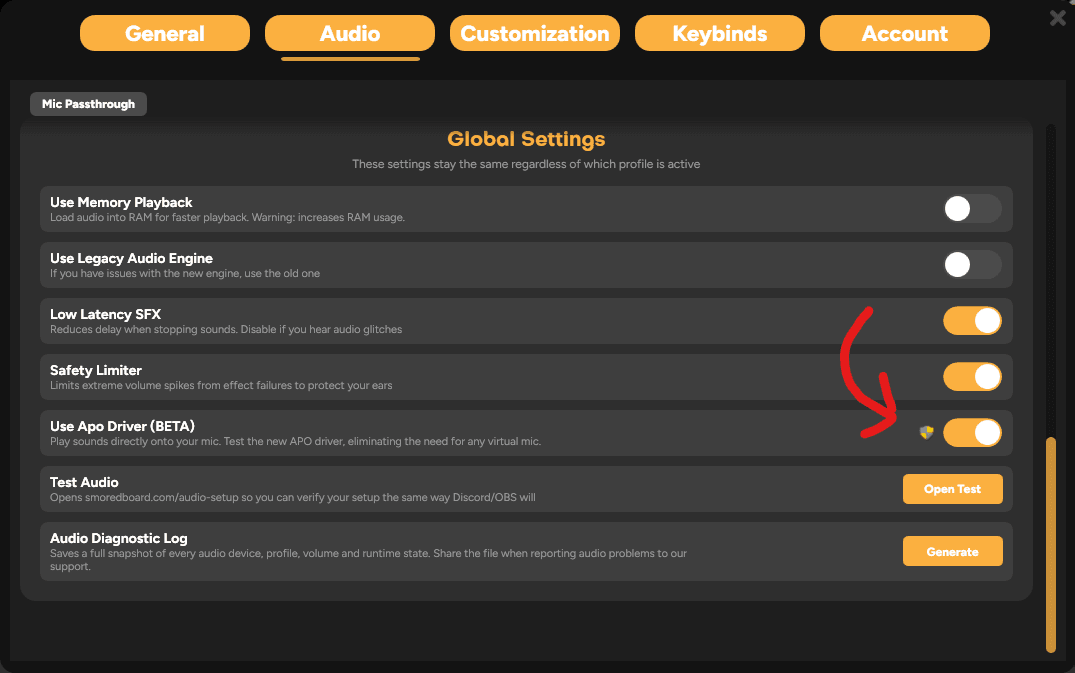
NOTE: Enabling APO mode, as well as any APO related action require ADMIN permissions.
How To Use with Other Games/Apps
This is the easiest part, forget everything you remember about the Virtual Mic and simply look at whatever mic you have set in audio settings, then in your game/software set your mic to that one!
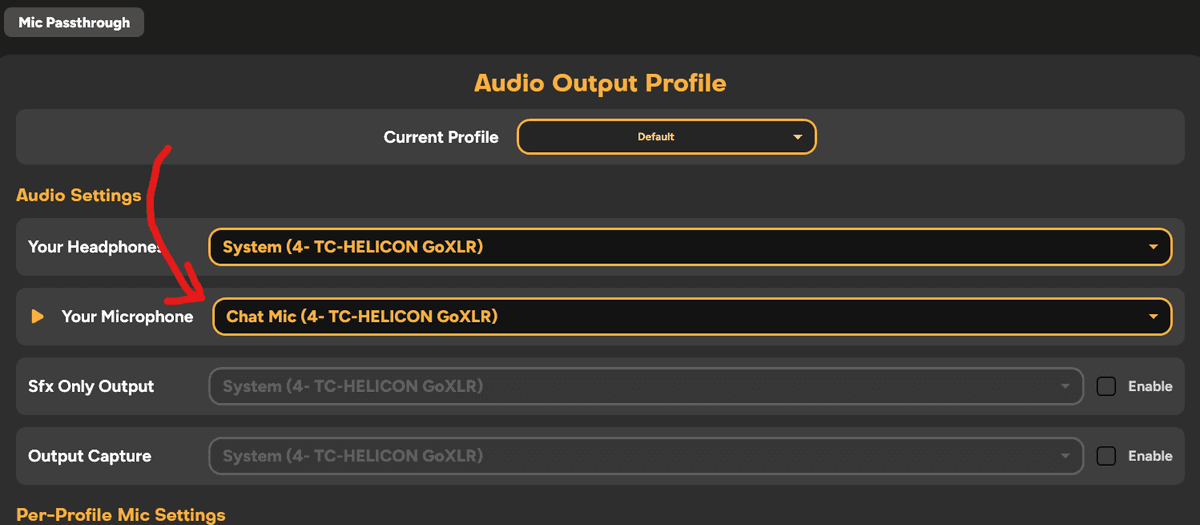
So for example, on my pc, i use 'Chat Mic' as my microphone, so I go to the SmoredBoard's audio settings and make sure my mic is set to that. Then in any game or software, i just check and make sure it's using 'Chat Mic' aswell. Then if i play a sound, the audio is added ontop of the 'Chat Mic' and others will be able to hear it!
Still having issues? Contact Support