How To Uninstall and Reinstall the CABLE Devices
This tutorial addresses audio routing issues with VB-Cable devices. When installation problems prevent audio from flowing between CABLE Input and Output, reinstalling the devices provides a solution.
Step 1: Download the Installer (used for uninstalling and reinstalling)
I know this guide is for how to uninstall and reinstall the cable drivers, yet the first step is downloading an installer, but don't worry we use the installer to actually uninstall the drivers!
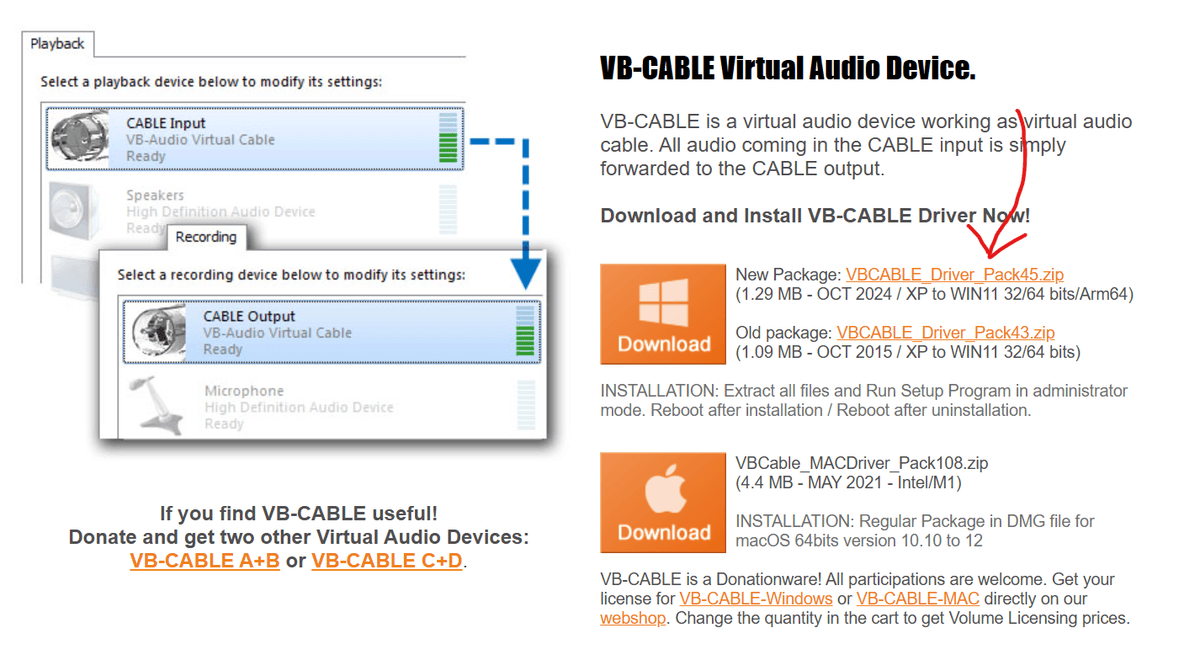
Visit the VB-Cable website and download the "New Package" for Windows.
Step 2: Extract the Download and Find the EXE
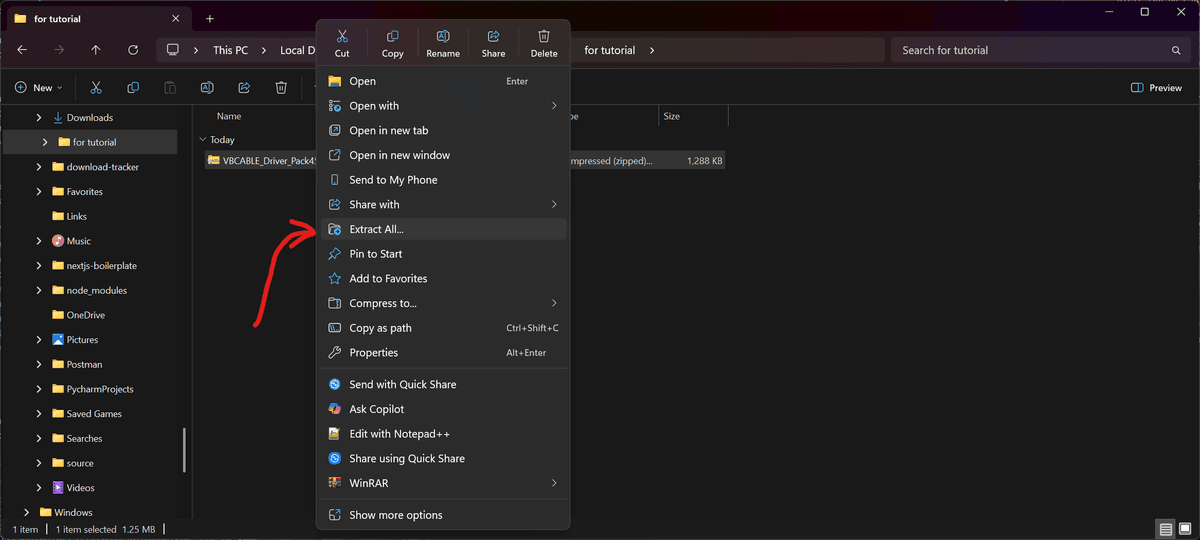
To extract the downloaded ZIP file, right-click the ZIP and select "Extract All...", then choose where to extract it and click Extract.
Once extracted, open the resulting folder and locate the VBCABLE_Setup_x64.exe file. Almost all modern Windows PCs are 64-bit, so this is the one you want. Only use VBCABLE_Setup.exe if you're certain you're on a 32-bit version of Windows.
Step 3: Use the Installer
First, remove the existing driver:
- 1. Run the EXE as administrator
- 2. Select the "Remove Driver" option
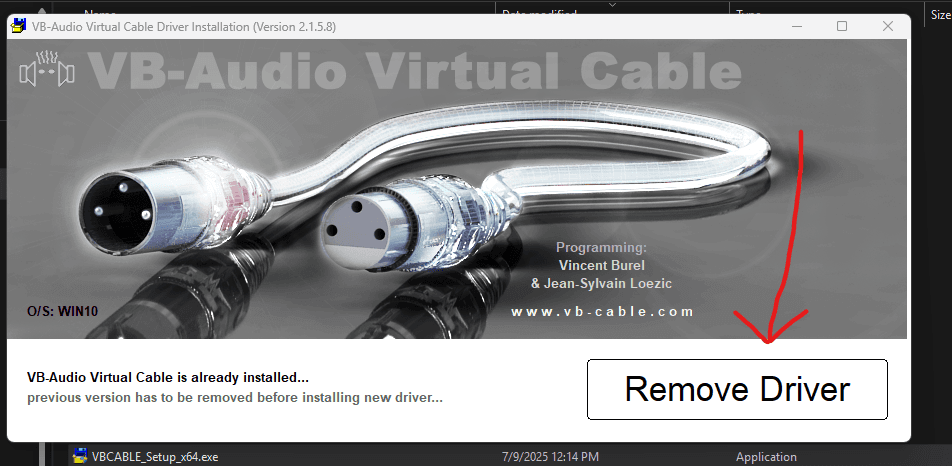
- 3. Restart your computer
Then, reinstall the driver:
- 4. After restarting, open the same EXE again as administrator, you'll see the "Remove Driver" button will now say "Install Driver"
- 5. Choose to install the driver
- 6. Restart your computer again
Still having issues? Contact Support