How to remove keybinds from a sound
This tutorial explains how to remove a keybind from a sound.
Remove a Keybind from a Sound
There are two different ways to remove a keybind from a sound.
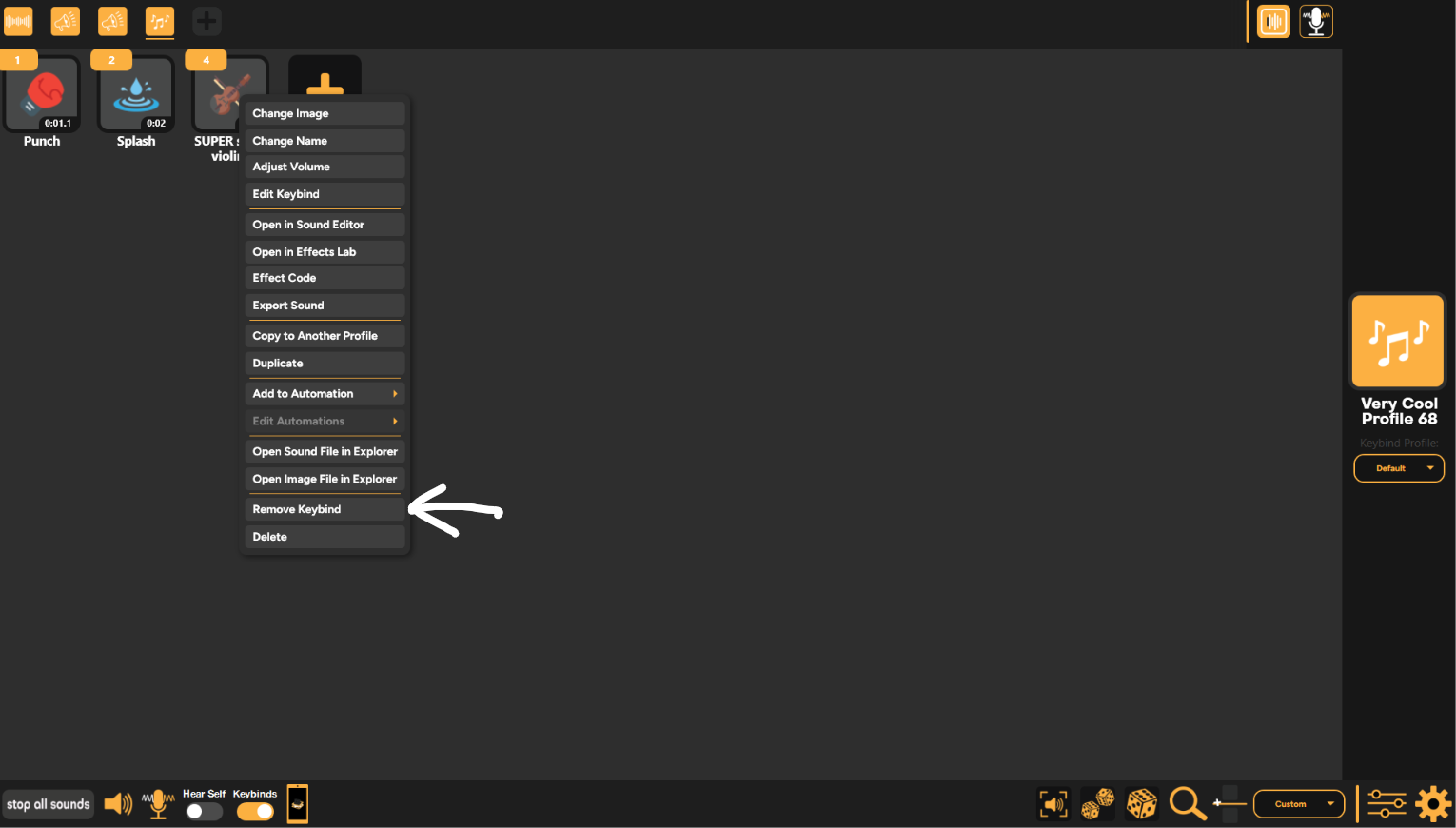
1. The first option is to right-click a sound, then, on the drop-down bar, select "Remove Keybind."
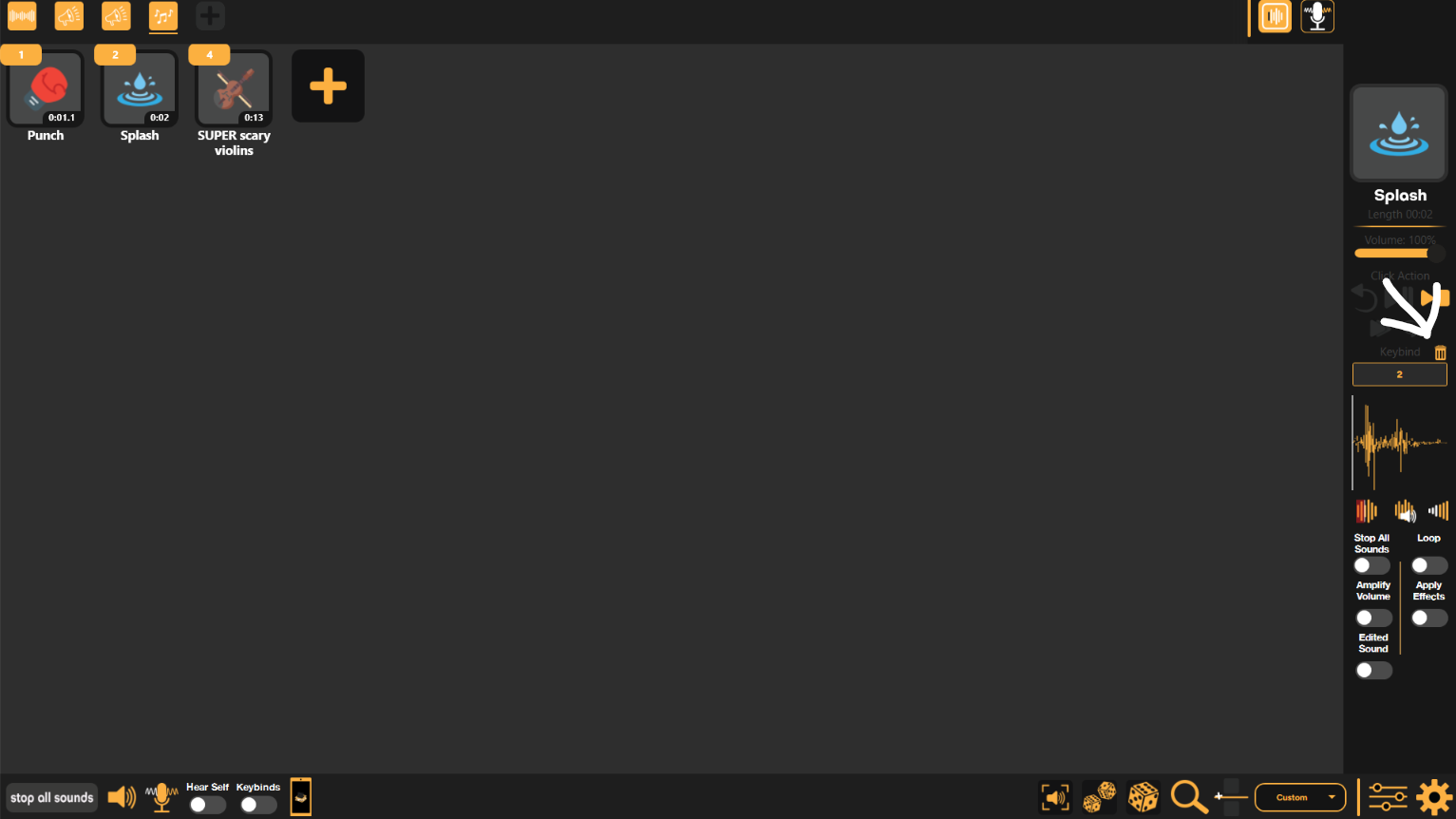
2. The second option is to select the sound and then, in the sidebar, click the trash icon next to the "Keybind" text.
Still having issues? Contact Support