How to move your profiles directory
Learn how to move the SmoredBoard profiles folder to a different location on your PC.
Moving Your Profiles Directory
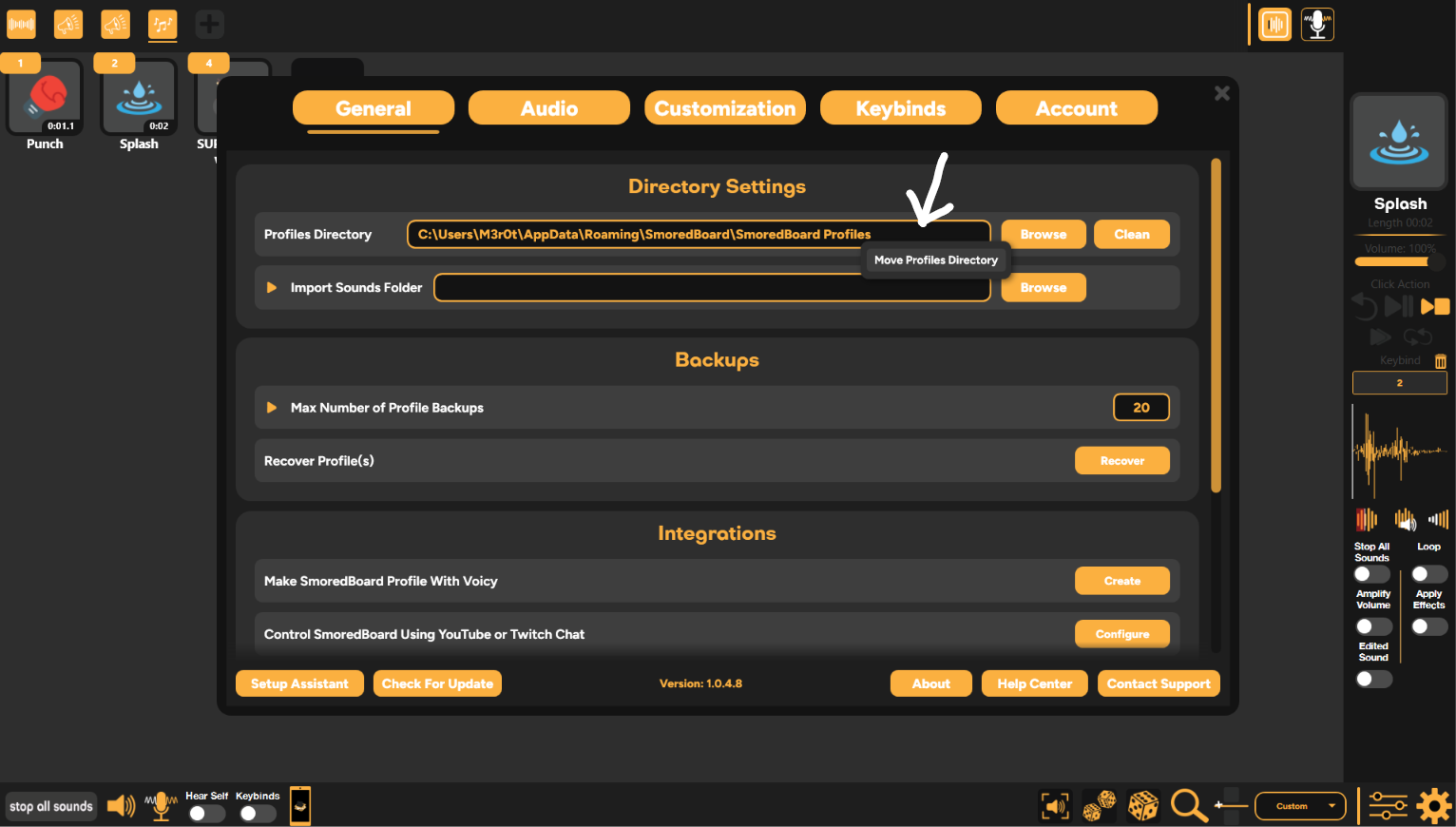
To move your profiles directory from one location on your PC to another, first open Settings. Then, in the "General" tab, you can right-click the "Profiles Directory", where a "Move Profiles Directory" option will appear.
Just click that option and pick a new location for your Profiles, and the SmoredBoard will move everything automatically!
NOTE: You need to be on version 1.0.5.0 or newer to do this
Still having issues? Contact Support