How to make SmoredBoard start minimized on startup
This tutorial shows how to make SmoredBoard start minimized when Windows starts up.
Start Minimized on Startup
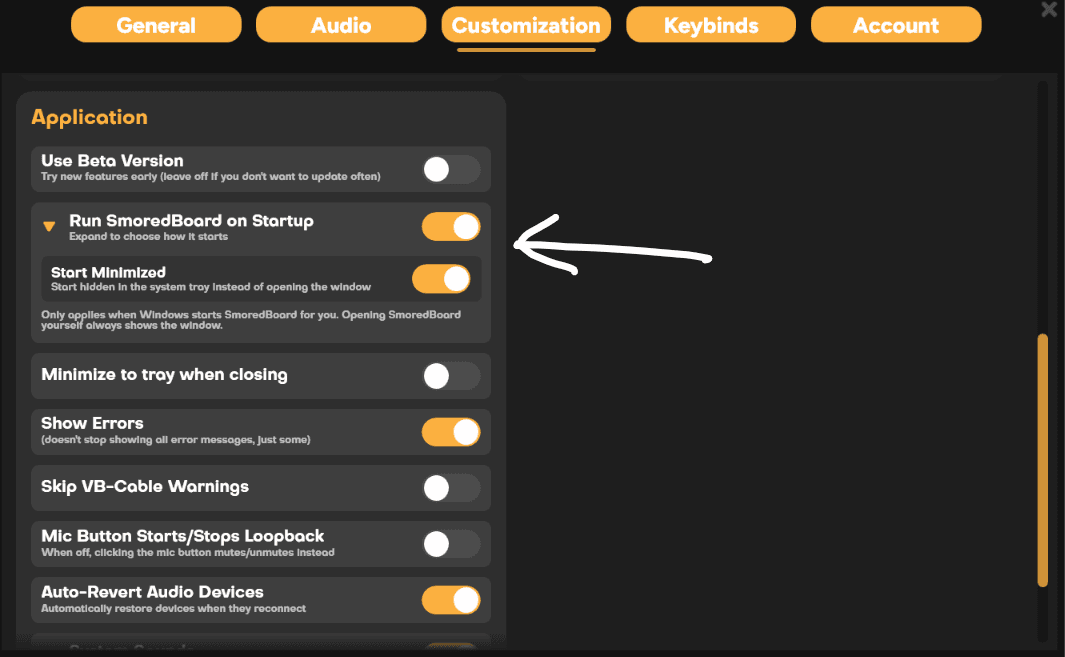
Open Settings, click on the "Customization" tab, then scroll down to the "Application" section, where, when you expand "Run SmoredBoard On Startup", you will find the "Start Minimized" toggle to enable this feature.
Still having issues? Contact Support