How to fix SmoredBoard Stuck on Splash Screen
This guide helps fix SmoredBoard when it gets stuck during startup.
The Problem
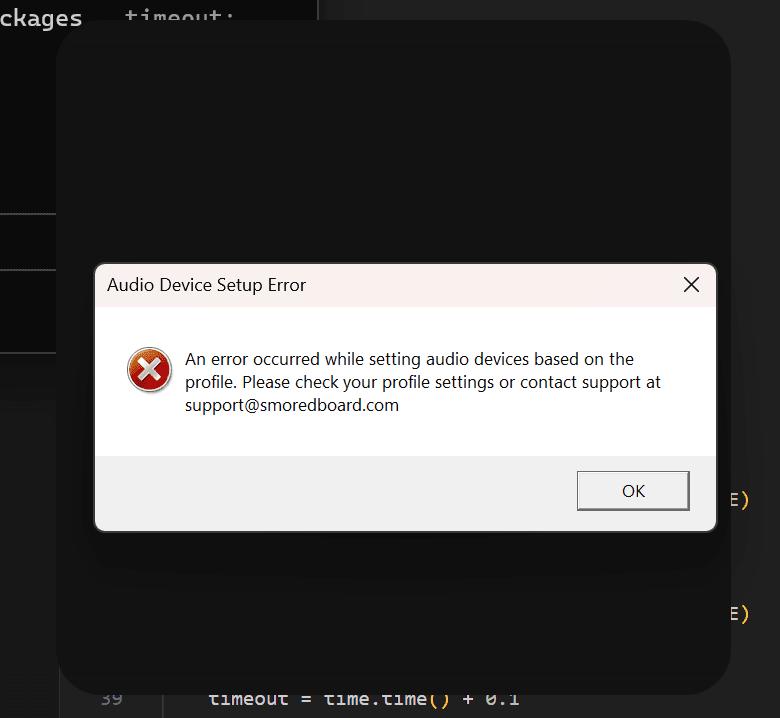
The SmoredBoard application becomes unresponsive, remains stuck on its splash screen during startup, or fails to open with the error: "An error occurred while setting audio devices based on the profile. Please check your profile settings or contact support at support@smoredboard.com"
Option 1: Delete Application Data Folders
This fix only works on SmoredBoard version 1.0.3.5 and older.
Warning: This will delete your SmoredBoard settings and preferences. Your Profiles will NOT be deleted, but you may need to re-add your Profiles Directory after completing this fix.
- 1. Open the AppData\Local folder
Press
Win + Rto open the Run dialog, then type:%localappdata%Or navigate manually to:
C:\Users\[YOUR USERNAME]\AppData\Local - 2. Delete the "Smored" folder
Find the folder named Smored and delete it.
- 3. Delete the "SmoredBoardNewUi" folder (if it exists)
Look for a folder named SmoredBoardNewUi. If you find it, delete it as well. This folder may not exist on all installations.
- 4. Restart SmoredBoard
Launch SmoredBoard again. It should now open successfully with fresh settings.
Option 2: Reset Settings While Preserving Profiles
If Option 1 doesn't work, try this more thorough fix. This involves resetting the application settings while preserving user profiles through a manual backup and restore process.
- 1. Backup Your Profiles
Navigate to your profiles folder at:
C:\Users\[USER NAME]\AppData\Local\SmoredBoard\SmoredBoard ProfilesCopy all files to a safe location elsewhere on your computer.
- 2. Uninstall the Application
Remove SmoredBoard completely. When prompted, select the option to delete all profiles and settings to clear any corrupted configuration files.
- 3. Reinstall
Download and install a fresh copy of SmoredBoard from the official website.
- 4. Restore Your Profiles
Copy the backed-up files from step one back into:
C:\Users\[USER NAME]\AppData\Local\SmoredBoard\SmoredBoard Profiles
This approach eliminates corrupted settings causing the startup failure while preserving your saved sound profiles and configurations.
Still having issues? Contact Support