How To Fix SmoredBoard APO Windows Audio Echancements Off
Learn how to fix SmoredBoard APO windows audio echancements
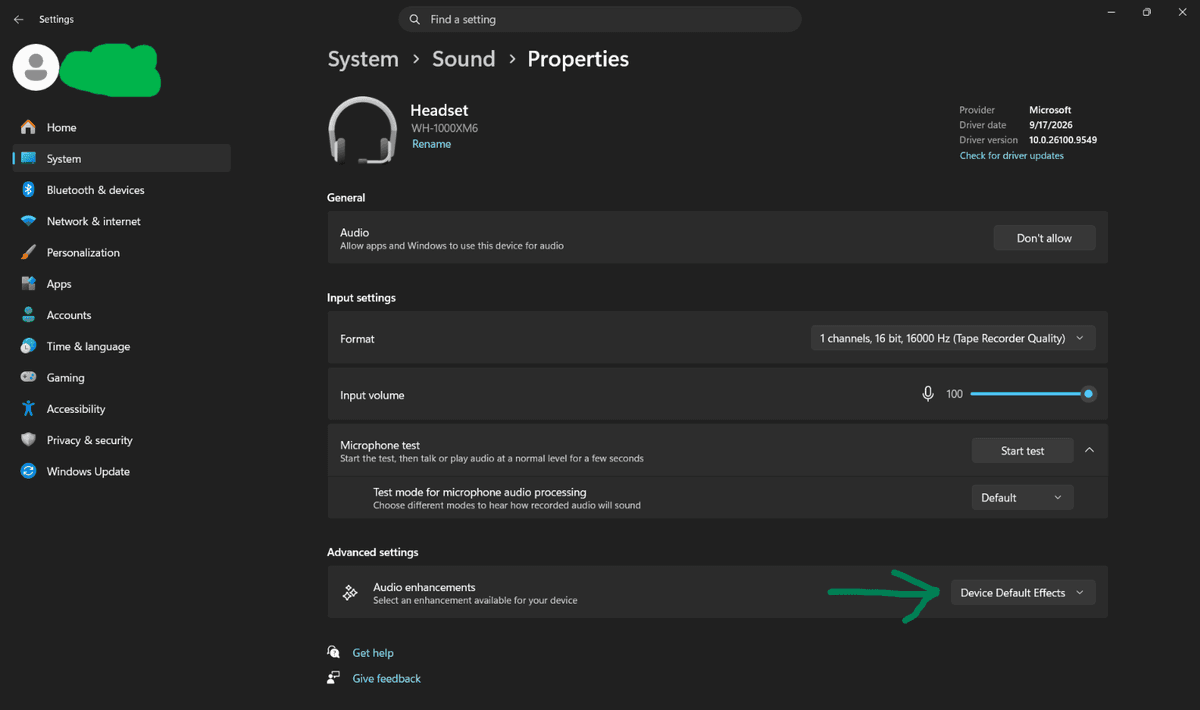
The SmoredBoard APO driver runs on your mic’s “Device Default Effects.” So, if you have Audio Enchantments off, or set to Voice Clarity or any other enchantment, APO mode will not work.
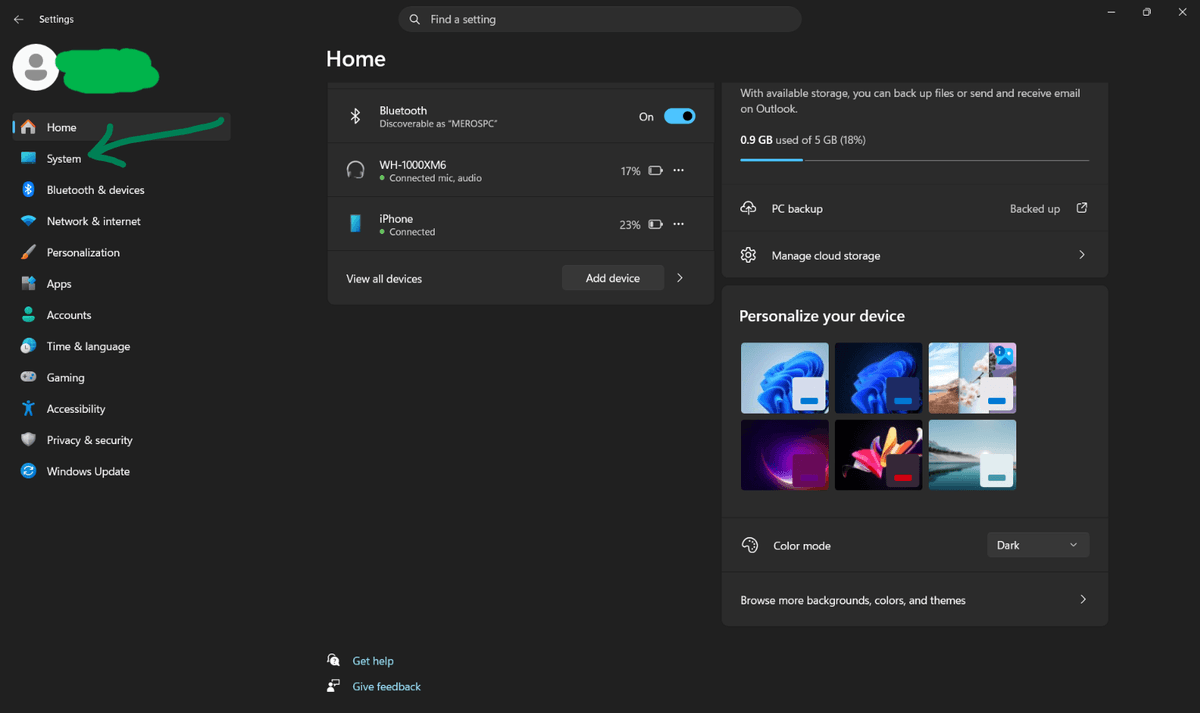
To fix this, go to Windows Settings, then System.
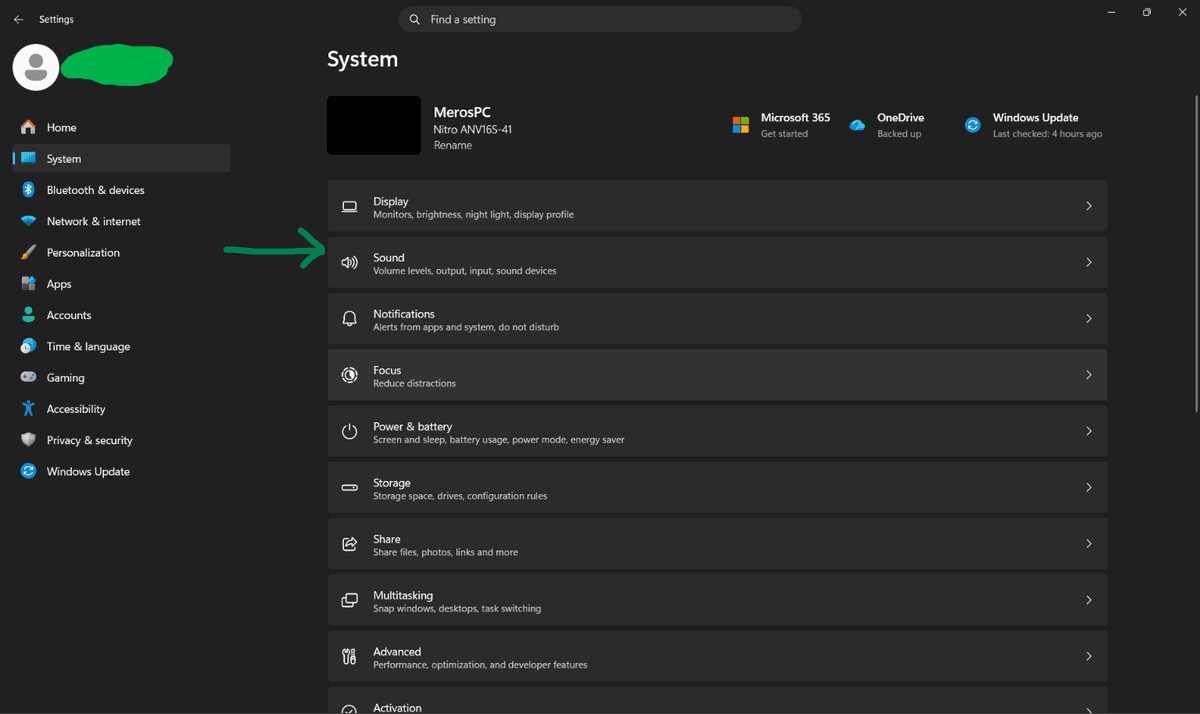
Then click Sound.
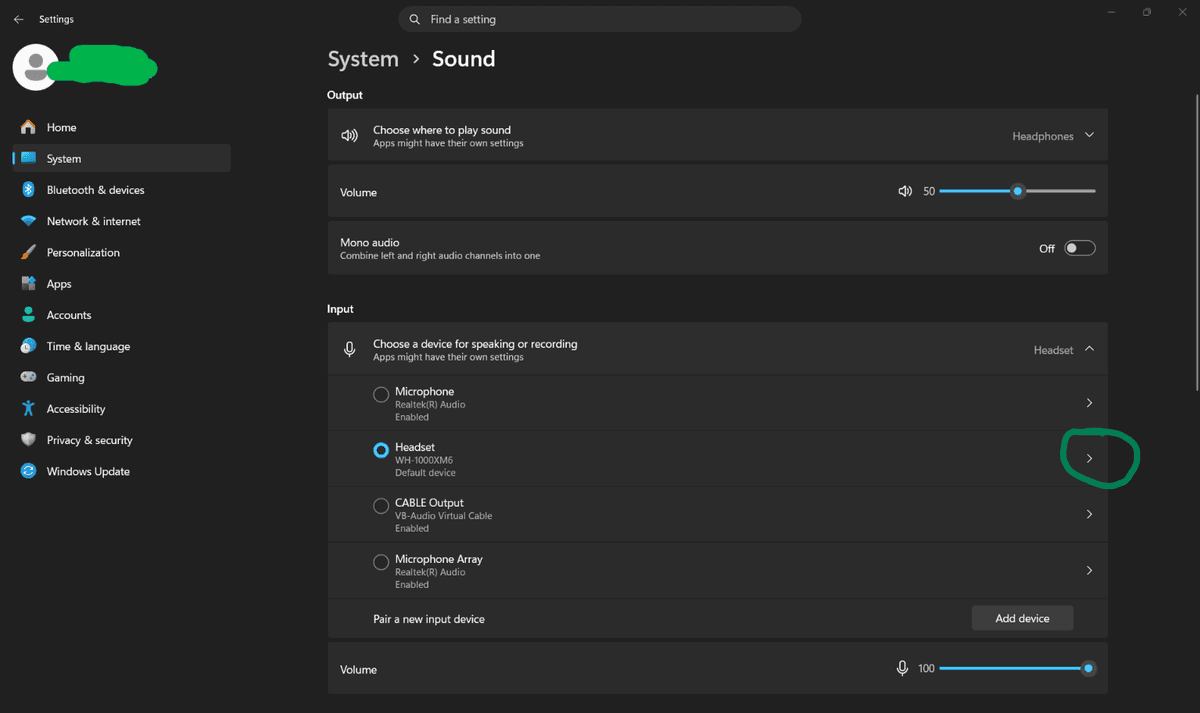
Select the Microphone you are trying to use the SmoredBoard with.
Scroll to the bottom under Advanced Settings and set the Audio Enhancements to Device Default Effects.
Still having issues? Contact Support