How to Enable/Disable the Beta Version
This tutorial explains how to enable or disable the SmoredBoard Beta Version from the Settings menu.
Enable or Disable the Beta Version
If you want to use the Beta Version of SmoredBoard, simply open Settings, click on the "Customization" tab, and then scroll down until you see the "Application" section. There you will see a toggle to enable or disable the Beta Version.
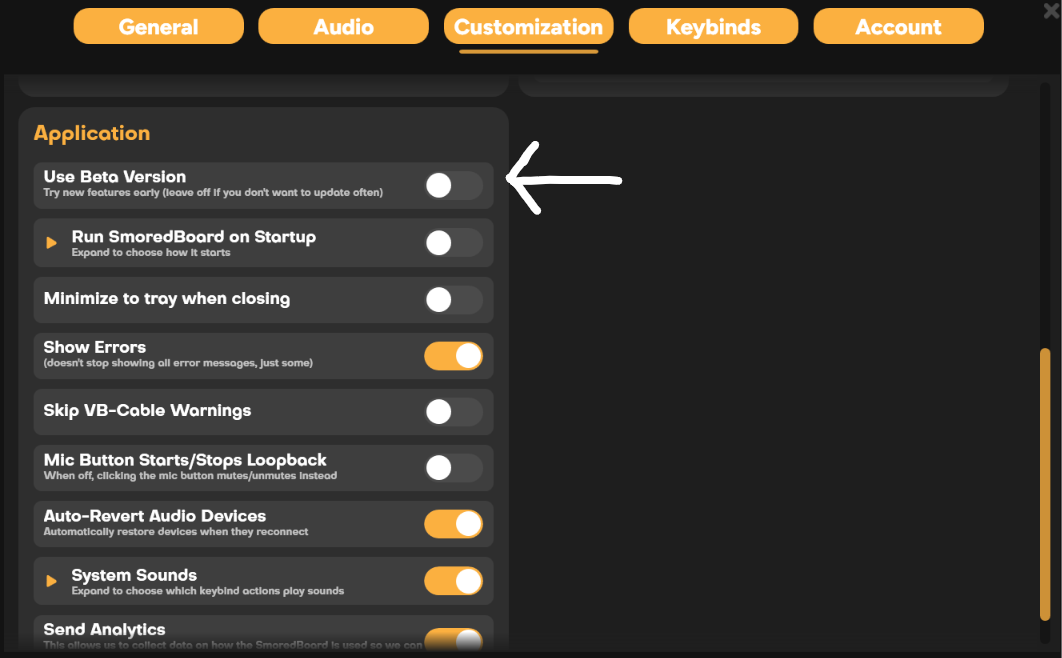
NOTE: If an update is available, you will be prompted to download it immediately.
Still having issues? Contact Support