How to disable SFXs when muting and unmuting mic
Learn how to disable the system sound effects that play when muting or unmuting your microphone.
How to disable SFX
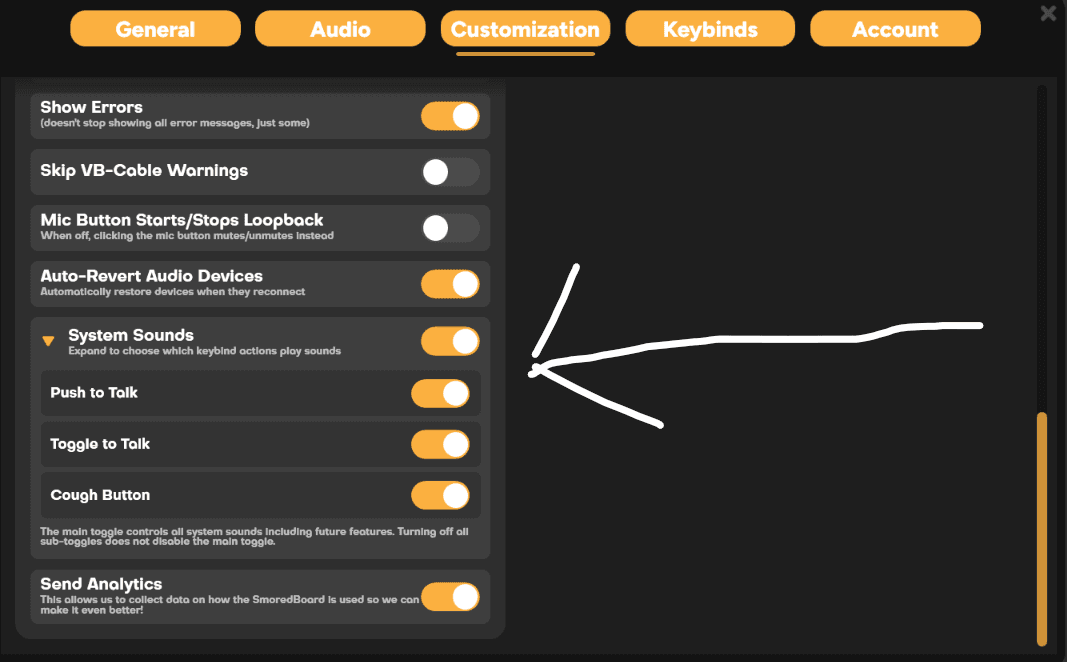
To disable the SFXs that play when muting and unmuting your mic in the SmoredBoard, first open Settings, then go to the Customization Tab.
Then, in the Customization tab, scroll to the bottom, and you'll see the "System Sounds" settings on the bottom left. You can either toggle off all System Sounds globally or expand the setting to disable specific sound functions.
Still having issues? Contact Support